Monitor Stand Buyer Guide: How to Build Cleaner, More Comfortable Workstations
/
Monitor Stand Buyer Guide: How to Build Cleaner, More Comfortable Workstations
Share Box
A monitor stand may look like a small desk accessory, but in modern offices, home workstations, schools, design studios, and commercial projects, it plays a much bigger role. It affects viewing comfort, desk organization, cable management, screen positioning, workstation flexibility, and even the professional appearance of an office setup.
For individual users, a monitor stand helps raise the screen to a better viewing height and frees up valuable desk space. For B2B buyers, office furniture suppliers, electronics accessory distributors, and project contractors, the right monitor stand can become a practical product category with strong demand across corporate offices, shared workspaces, classrooms, and home office markets.
However, not all monitor stands are the same. Some only lift the screen slightly, while others offer height adjustment, tilt adjustment, portrait rotation, VESA compatibility, cable management, or OEM/ODM customization. Buyers should not choose a product only by appearance. The better approach is to evaluate real workstation needs, monitor compatibility, structure stability, adjustment function, packaging, and long-term market fit.
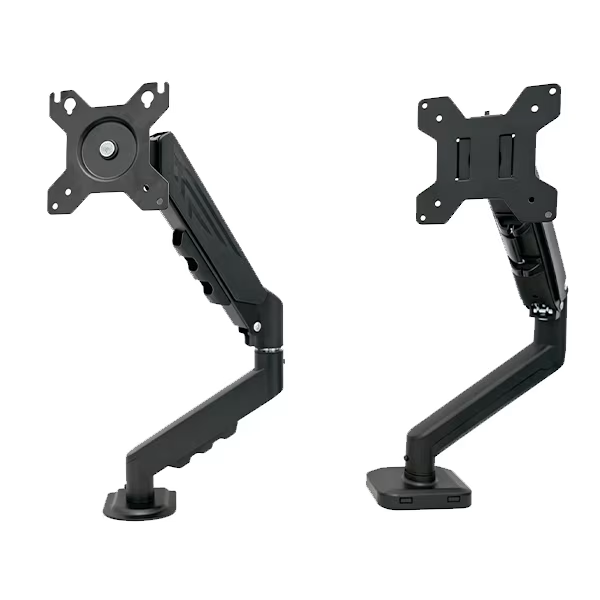
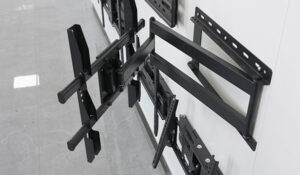
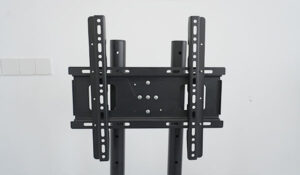
Xinge Mount provides a Height Adjustable Monitor Stand with VESA Mount for office and home workstation use, as well as a broader Monitor Stands & Arms category for buyers who need complete display mounting solutions.
Why Monitor Stands Are Becoming Essential in Modern Workspaces
Work habits have changed. More people spend long hours in front of screens for office work, video meetings, online education, design, data analysis, gaming, and remote collaboration. At the same time, desk space is becoming more valuable, especially in compact offices and home workstations.
A monitor placed too low can cause users to lean forward, bend their neck, or constantly adjust their posture. A cluttered desk can also reduce comfort and productivity. A monitor stand helps solve these problems by improving screen height, creating more usable desk space, and making the workstation look cleaner.
For business buyers, this trend creates several opportunities:
- Offices need ergonomic workstation upgrades.
- Remote workers need better desk setups.
- Schools and training rooms need stable display support.
- Electronics retailers need practical accessory products.
- Office furniture suppliers can bundle monitor stands with desks.
- Private-label brands can customize monitor stands for different markets.
The demand is not only about comfort. It is also about workspace efficiency, appearance, and long-term usability.
What a Monitor Stand Actually Does
A monitor stand supports and positions a display on a desk or workstation. Depending on the design, it may provide simple elevation, height adjustment, tilt adjustment, rotation, VESA mounting, cable management, or extra desk organization.
A basic riser-style stand lifts the monitor but usually has limited adjustment. A height adjustable monitor stand gives users more control over screen position. A VESA monitor stand connects directly to the back of the monitor through a mounting plate, which can improve stability and adjustment flexibility.
A monitor stand should help users achieve three goals:
- Place the screen at a more comfortable viewing height.
- Reduce desk clutter by lifting the monitor off the surface.
- Improve workstation flexibility for different users and tasks.
For B2B sourcing, the best monitor stand is not necessarily the most complicated model. It is the one that matches the target market’s daily use needs, installation habits, monitor sizes, and price positioning without sacrificing structure or usability.
Monitor Stand vs Monitor Arm: Which Product Fits the Buyer’s Market?
Many buyers compare monitor stands with monitor arms. Both are display mounting products, but they are not identical.
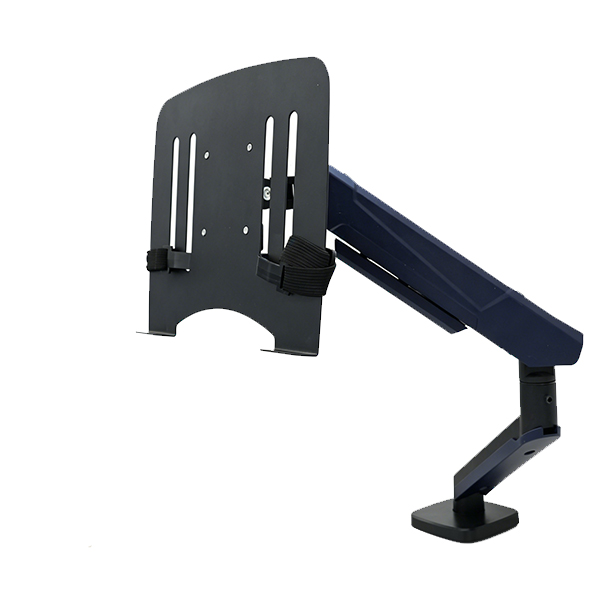
A monitor stand usually sits on the desktop and supports the screen with a vertical column or base. It is often easier to install and can be suitable for users who do not want to clamp or drill into the desk. A monitor arm usually attaches to the desk by clamp or grommet and offers greater extension, swivel, and flexible positioning.
| Product Type | Best For | Main Advantage | Buyer Consideration |
|---|---|---|---|
| Monitor stand | Offices, home workstations, schools, simple desk upgrades | Easy setup, stable base, clean appearance | Check height range and desk footprint |
| Monitor arm | Flexible workstations, compact desks, multi-screen setups | More movement and desk space saving | Check desk compatibility and weight support |
| VESA monitor stand | Professional office and commercial workstations | Better monitor compatibility and adjustment | Confirm VESA pattern and screen weight |
| Dual monitor arm | Finance, design, programming, control rooms | Supports multi-screen productivity | Requires stronger structure and desk support |
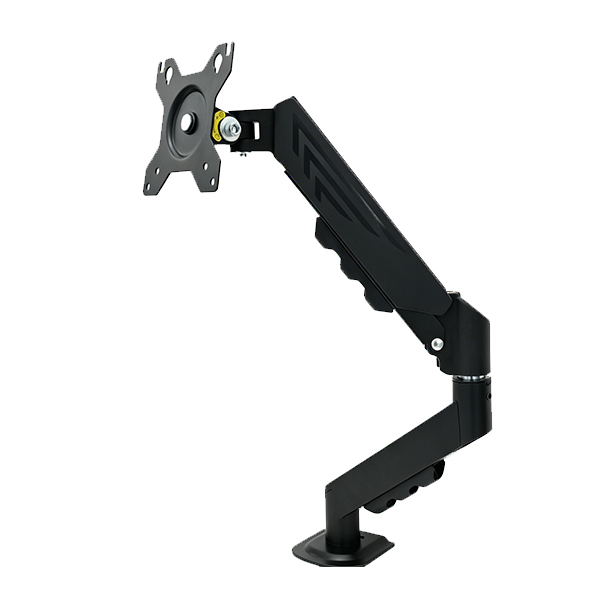
Xinge Mount also offers an Adjustable Monitor Arm with VESA Mount for buyers who need a more flexible arm-style solution. For a complete product line, monitor stands and monitor arms can be sold together because they serve different user preferences.
Ergonomics: The Main Reason Users Search for Monitor Stands
One of the strongest reasons people search for a monitor stand is workstation comfort. A screen that sits too low or too far away may encourage poor posture, especially during long work sessions.
The official OSHA monitor guidance recommends positioning the monitor directly in front of the user so the head, neck, and torso face forward while viewing the screen. This principle is important for offices, schools, and home workstations because screen position affects how users sit and work.
A good monitor stand helps users adjust their setup in a practical way:
- Raise the screen closer to eye level.
- Keep the monitor centered in front of the user.
- Reduce unnecessary neck bending.
- Create a cleaner viewing line.
- Support a more organized desktop.
- Allow better alignment with keyboard, mouse, and chair height.
For buyers, this ergonomic value should be part of the product message. A monitor stand is not just a metal or plastic accessory. It is a workstation improvement product.
VESA Compatibility: A Key Detail for Professional Buyers
For professional sourcing, VESA compatibility is one of the most important technical details. VESA mounting standards define common mounting hole patterns on the back of many monitors and displays. Buyers can refer to the official VESA mounting standard to understand why mounting patterns matter for display brackets and monitor stands.
A VESA monitor stand can support a wider range of modern monitors when the mounting plate and specification are properly matched. This is especially valuable for office projects, electronics distributors, and private-label brands because compatibility reduces customer confusion and after-sales issues.
Before sourcing a VESA monitor stand, buyers should check:
- Supported VESA patterns
- Compatible monitor size range
- Maximum monitor weight
- Mounting plate design
- Screw kit configuration
- Whether the plate is detachable
- Whether portrait and landscape rotation are supported
A clear specification sheet can reduce mismatched orders and improve confidence during B2B procurement.
Height Adjustment and Screen Positioning
Height adjustment is one of the most important features of a modern monitor stand. Different users have different body heights, chair heights, desk heights, and working habits. A fixed-height stand may work for one person but fail for another.
A height adjustable monitor stand gives users more control. It allows the screen to move up or down to fit the workstation. For shared offices, schools, and training rooms, this feature can improve product value because more users can adapt the same stand to their needs.
When evaluating height adjustment, buyers should look at:
- Adjustment range
- Locking stability
- Ease of operation
- Whether the screen shakes after adjustment
- Whether the mechanism feels smooth
- Whether the product remains stable at higher positions
For commercial projects, stability matters as much as adjustability. A stand that adjusts smoothly but shakes during use may create a poor user experience.
Tilt, Rotation, and Portrait Mode
A monitor stand with tilt and rotation functions can support more working styles. Tilt adjustment helps users reduce glare and improve viewing angle. Rotation allows users to switch between landscape and portrait mode, which is useful for coding, reading documents, editing long pages, monitoring dashboards, or using vertical applications.
Portrait rotation can be especially attractive for:
- Programmers
- Designers
- Editors
- Financial analysts
- Customer service teams
- Control room operators
- Content reviewers
- Office workers using long documents
For B2B buyers, these features help position the product beyond simple desk elevation. A monitor stand with multiple adjustment functions can be marketed as a professional workstation accessory.
Desk Organization and Cable Management
A monitor stand can also improve the appearance of a workstation. By lifting the monitor, it creates space underneath or around the display area. Users can place keyboards, notebooks, office supplies, docking devices, or small accessories more neatly.
Cable management is another detail that affects user satisfaction. A cable clip or routing channel helps prevent cables from hanging loosely around the desk. In offices, schools, and shared workspaces, this makes the setup look more professional and easier to maintain.
For B2B procurement, buyers should ask:
- Does the stand include a cable clip?
- Are cables hidden naturally behind the column?
- Is the base compact enough for small desks?
- Does the structure leave usable space under the monitor?
- Is the surface finish suitable for office environments?
These small design details can make the product easier to sell and easier to use.
Structure, Materials, and Stability
A monitor stand must remain stable during daily use. Users may adjust the screen, rotate it, clean the desk, plug in cables, or move items around the workstation. If the stand feels weak, unstable, or unbalanced, the product will not inspire confidence.
Buyers should evaluate the physical structure carefully:
- Base size and weight balance
- Steel support structure
- Column strength
- VESA plate connection
- Screw quality
- Surface coating
- Anti-slip base design
- Adjustment locking mechanism
- Packaging protection
A stable steel support structure is especially important for commercial buyers. Office furniture suppliers, electronics accessory brands, and project contractors need products that can perform consistently across many workstations.
Xinge Mount’s Adjustable Monitor Stand includes a stable steel support structure, detachable VESA mounting plate, cable clip, height adjustment, tilt adjustment, and portrait/landscape rotation, making it suitable for both office and home workstation applications.
Application Scenarios for Monitor Stands
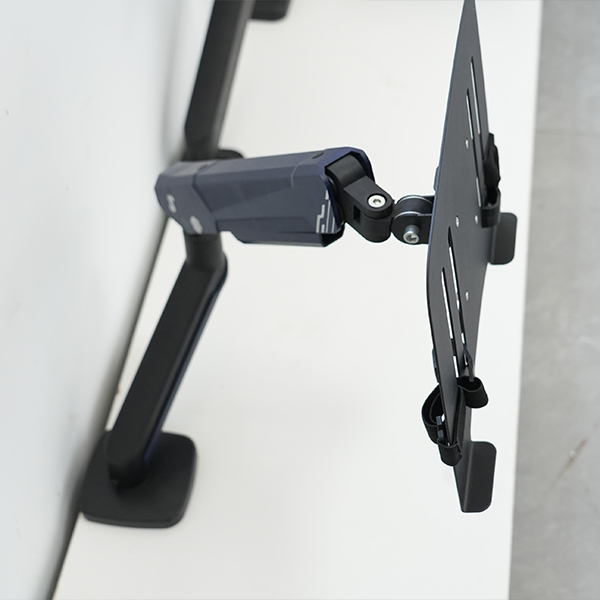
A monitor stand is useful in more than one type of workspace. This makes it a strong product category for B2B buyers.
Corporate offices
Corporate offices need clean, standardized workstation setups. A monitor stand helps improve screen positioning and desk organization without requiring major furniture changes.
Home offices
Remote workers often work with limited desk space. A monitor stand can improve comfort and make a small desk feel more organized.
Schools and study rooms
Students and teachers may use monitors for online classes, teaching materials, presentations, and study setups. A stable monitor stand helps create a cleaner learning environment.
Shared workspaces
Shared workstations need products that are easy to adjust and suitable for different users. Height adjustment and VESA compatibility are valuable in these spaces.
Design studios
Designers often need precise screen positioning and a cleaner desk. A monitor stand with tilt and rotation can support different creative workflows.
Commercial office projects
For project buyers, monitor stands can be supplied in bulk as part of office workstation upgrades. Consistent packaging, clear manuals, and reliable quality control become very important.
Xinge Mount’s Application page shows how monitor stands, TV mounts, and display brackets can support offices, home workspaces, conference rooms, classrooms, and commercial display environments.
B2B Sourcing Checklist for Monitor Stands
Before placing a bulk order, buyers should evaluate both the product and the supplier’s support capability.
| Checklist Item | What to Confirm | Why It Matters |
| Monitor size range | Compatible display sizes | Helps match mainstream market needs |
| Weight capacity | Maximum supported monitor weight | Reduces safety and stability risks |
| VESA pattern | Supported mounting hole patterns | Improves compatibility |
| Height adjustment | Range and locking design | Supports different users |
| Tilt function | Angle adjustment capability | Improves viewing comfort |
| Rotation | Portrait and landscape support | Useful for professional workflows |
| Base design | Stability and desk footprint | Affects daily use and space efficiency |
| Cable management | Clip or routing design | Keeps desks clean |
| Surface finish | Coating quality and appearance | Supports office aesthetics |
| Packaging | Carton strength and accessory protection | Reduces shipping damage |
| Manual | Clear installation guidance | Lowers after-sales questions |
| Customization | Logo, carton, manual, structure | Supports private-label buyers |
This checklist helps buyers avoid choosing products based only on photos or simple descriptions. A monitor stand should be evaluated as a functional workstation solution.
OEM/ODM Opportunities for Monitor Stand Buyers
For importers, distributors, office furniture brands, and electronics accessory suppliers, OEM/ODM customization can make a monitor stand product line more competitive.
Common customization options include:
- Logo customization
- Carton design
- Instruction manual customization
- Surface color adjustment
- Cable management design
- Base structure adjustment
- VESA plate customization
- Accessory kit configuration
- Packaging layout
- Mixed sourcing with monitor arms or TV mounts
Xinge Mount provides OEM/ODM support for monitor stands, monitor arms, TV mounts, and mobile display stands. Buyers who need a broader sourcing plan can explore the full Products page or contact the team through the Contact Us page for project-specific recommendations.
Common Mistakes When Choosing a Monitor Stand
Even a simple product can create problems if buyers overlook key details.
Choosing only by appearance
A clean design is important, but appearance does not prove stability, compatibility, or adjustment quality. Buyers should check structure and specifications first.
Ignoring VESA pattern
A monitor stand may not fit the customer’s monitor if the VESA pattern is not supported. This is one of the most common compatibility issues.
Overlooking desk footprint
A large base may reduce usable desk space, while a base that is too small may affect stability. Buyers should match the base design to the target market.
Forgetting cable management
Cables can make a workstation look messy. A simple cable clip can improve user experience and product value.
Not checking packaging
Monitor stands include screws, plates, columns, and accessories. Poor packaging can cause missing parts, scratches, or shipping complaints.
Treating all office users the same
Different users need different screen heights and working angles. Height adjustment, tilt, and rotation can help the product serve more users.
How to Prepare a Better Monitor Stand Inquiry
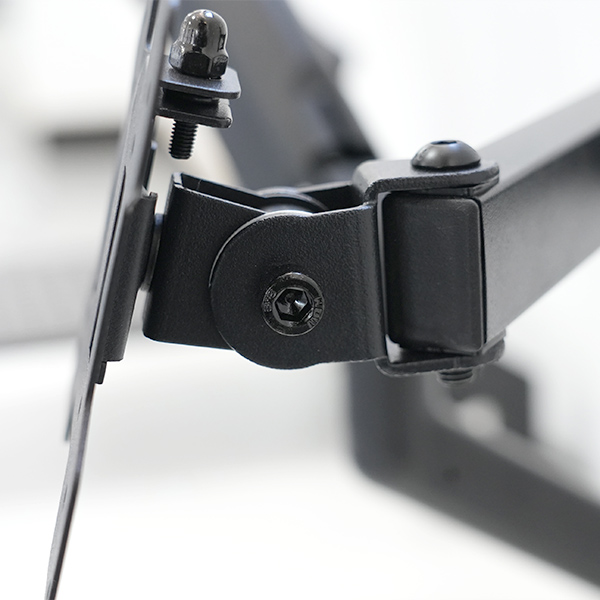
A clear inquiry helps the supplier recommend the right monitor stand and provide more accurate support. Buyers should prepare the following information before contacting a supplier:
- Target monitor size range
- Required VESA patterns
- Expected weight capacity
- Desired height adjustment range
- Whether tilt or rotation is required
- Target application: office, home, school, project, retail, or wholesale
- Packaging requirements
- Logo or private-label needs
- Quantity plan
- Target market or sales channel
For product selection, OEM/ODM customization, and project sourcing, buyers can contact Xinge Mount through the Contact Us page.
FAQ
What is a monitor stand used for?
A monitor stand is used to raise, support, and position a monitor on a desk. It helps improve viewing height, reduce desktop clutter, and create a cleaner workstation setup for offices, homes, schools, and commercial projects.
Is a monitor stand better than a monitor arm?
It depends on the user’s needs. A monitor stand is often easier to install and works well for stable desktop support. A monitor arm offers more movement and can free up more desk space, but it may require clamp or grommet installation.
Why does VESA compatibility matter for monitor stands?
VESA compatibility helps determine whether the monitor can attach properly to the stand. For B2B buyers, clear VESA support reduces product mismatch and improves compatibility with mainstream monitors.
What features should a good monitor stand include?
A good monitor stand should offer stable support, suitable height adjustment, VESA compatibility, tilt or rotation when needed, cable management, reliable surface finish, and clear installation accessories.
Can monitor stands be customized for OEM or private-label projects?
Yes. Monitor stands can be customized with logo, packaging, manual design, color, VESA plate, accessory kit, cable management, and structure adjustments depending on the buyer’s target market.
Conclusion
A monitor stand is more than a desk accessory. It is a practical workstation solution that helps improve viewing comfort, desk organization, screen positioning, and workplace appearance. For modern offices, home workstations, schools, shared spaces, and commercial projects, it has become an important display mounting product.
For B2B buyers, the right monitor stand should combine ergonomic value, VESA compatibility, stable structure, height adjustment, clean cable management, reliable packaging, and OEM/ODM customization potential. These details directly affect user experience, after-sales performance, and market competitiveness.
If you are sourcing monitor stands for office projects, distribution, private-label sales, or workstation product lines, review Xinge Mount’s Height Adjustable Monitor Stand with VESA Mount and the complete Monitor Stands & Arms category. For customized product support, packaging requirements, or bulk sourcing recommendations, send your inquiry through the Contact Us page.