VESA Mount Size Guide: How to Match Any TV Safely
/
VESA Mount Size Guide: How to Match Any TV Safely
Share Box
Choosing a TV bracket should not begin with appearance, arm length, or even the advertised screen size. The first question is whether the mounting plate can physically connect to the display. That is why VESA mount size is one of the most important specifications for homeowners, installers, distributors, project contractors, and private-label buyers.
A correct match reduces fitting problems, prevents unnecessary returns, and makes installation planning much easier. However, VESA compatibility alone does not guarantee a safe installation. Buyers must also check the display weight, wall structure, bracket load rating, screw requirements, movement range, and clearance around the mounting holes.
This guide explains how to read, measure, and apply VESA mount size information. It also shows B2B buyers how to turn compatibility data into clearer specifications, stronger packaging, and more accurate product inquiries.
Key takeaways:
- VESA mount size describes the horizontal and vertical spacing between mounting holes.
- The measurements are recorded in millimeters.
- TV screen size and VESA pattern are separate specifications.
- The display pattern must be included in the mount’s supported range.
- Weight capacity, wall type, screws, and installation geometry must be checked separately.
- The word “universal” should never replace a complete compatibility list.
- Clear VESA information can reduce returns and after-sales questions.
Why VESA Mount Size Is the First Compatibility Check
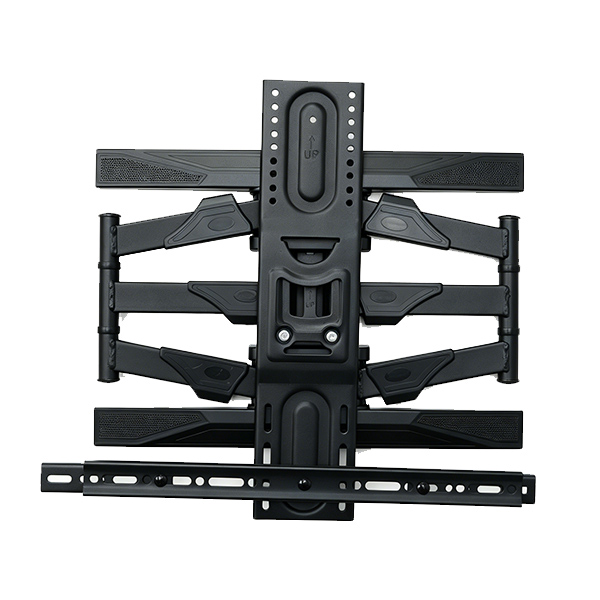
A wall mount can have strong steel arms and a high load rating, but it cannot hold a display if the holes on its mounting plate do not align with the threaded holes on the back of the TV.
The official VESA mounting standard is based on the Flat Display Mounting Interface, commonly known as FDMI. It gives display and mounting-product manufacturers a standardized way to define mechanical mounting interfaces for flat-panel equipment. Additional FDMI information is available through the organization’s standards resources.
For users, this creates a practical compatibility language. A specification such as 400 × 300 mm tells an installer how the four attachment points are positioned. For distributors, it allows one bracket model to be matched with many display models without listing every television individually.
The advantage is not that every TV uses the same pattern. The advantage is that compatible products can be compared through a consistent measurement system.
What Does VESA Mount Size Mean?
VESA mount size is written in the following order:
Horizontal distance × vertical distance
Both measurements are taken in millimeters from the center of one threaded hole to the center of the corresponding hole.
For example:
- 100 × 100 means the holes are 100 mm apart horizontally and vertically.
- 200 × 100 means the horizontal spacing is 200 mm and the vertical spacing is 100 mm.
- 400 × 300 means the horizontal spacing is 400 mm and the vertical spacing is 300 mm.
- 600 × 400 describes a wider mounting area commonly found on larger displays.
The order matters. A 400 × 200 pattern should not be recorded as 200 × 400 unless the display and mounting plate genuinely support that orientation.
VESA Size Is Not the TV’s Outside Dimensions
A 65-inch television is measured diagonally across its visible screen. That figure does not tell you the width of the mounting holes, the display weight, or the position of the holes on the rear housing.
Two displays with the same diagonal screen size may use different mounting patterns. Their rear covers, internal structures, connection panels, and center-of-gravity positions may also be different.
VESA Size Is Not a Load Rating
A larger VESA mount size does not automatically mean that the bracket can safely carry more weight.
Load capacity depends on factors such as:
- Mount structure
- Material thickness
- Arm design
- Joint construction
- Wall plate
- Fasteners
- Welding quality
- Installation surface
Complete compatibility requires two separate conditions:
- The mounting holes must align.
- The entire mounting system must safely support the display.
How to Find Your TV’s VESA Mount Size
There are two reliable ways to obtain the correct pattern.
Method 1: Check the Official Display Specifications
Look for the exact display model number on the rear label, user manual, specification sheet, or original packaging.
Search the documentation for terms such as:
- VESA
- Wall-mount pattern
- Mounting hole pattern
- Wall bracket interface
- Mounting dimensions
- Wall-mount screw specification
This method may also reveal the approved screw diameter, screw depth, display weight without the tabletop base, and any spacer requirements.
Always use the exact model number. TVs with similar names or the same screen size may not use the same rear mounting structure.
Method 2: Measure the Mounting Holes
When official documentation is unavailable, measure the holes directly:
- Disconnect the display from power.
- Remove the tabletop stand when necessary.
- Place the screen face down on a clean, padded, stable surface.
- Find the four threaded mounting holes on the rear housing.
- Measure from the center of the left hole to the center of the right hole.
- Measure from the center of the upper hole to the center of the lower hole.
- Record the result as width × height in millimeters.
A measurement of 40 cm horizontally and 30 cm vertically becomes a VESA mount size of 400 × 300 mm.
Measuring Mistakes to Avoid
Do not measure from the outside edge of one hole to the outside edge of another. Center-to-center measurement is more accurate.
Do not measure the outside dimensions of the TV. Do not assume the pattern from the diagonal screen size. Do not round an unusual measurement to the nearest familiar pattern without checking the display documentation.
If the holes are recessed, partially hidden, or positioned on an uneven rear surface, inspect the area carefully and confirm whether spacers are required.
VESA Mount Size Chart for Common Displays
The following chart is a planning reference. It should not replace verification of the exact display model.
| VESA Pattern | Common Display Category | Buyer and Installer Notes |
|---|---|---|
| 75 × 75 mm | Small monitors and compact displays | Often used with desk arms and compact wall brackets |
| 100 × 100 mm | Monitors and smaller screens | Common in monitor mounting systems |
| 200 × 100 mm | Small to medium televisions | Confirm support for the rectangular pattern |
| 200 × 200 mm | Small and medium televisions | Widely supported by compact TV brackets |
| 300 × 200 mm | Medium televisions | Check vertical rail and rear-port clearance |
| 300 × 300 mm | Medium to larger televisions | Requires sufficient plate or rail width |
| 400 × 200 mm | Medium to larger televisions | Confirm the mounting plate has suitable horizontal slots |
| 400 × 300 mm | Larger televisions | Do not assume every 400 × 400 plate supports this pattern |
| 400 × 400 mm | Larger televisions | Common in broad-range TV wall mounts |
| 600 × 400 mm | Large televisions and commercial displays | Requires wider rails and suitable structural strength |
| 800 × 400 mm | Extra-large displays | Verify the bracket rating, wall support, and rail dimensions |
Manufacturers may use different patterns on televisions with similar screen sizes. The display manual or direct measurement should always be treated as the final source.
A broad-range TV bracket may support several patterns through slotted holes, detachable rails, extension arms, or an adjustable mounting plate. Its specification should list the actual supported patterns rather than only stating “VESA compatible.”
Why TV Screen Size Alone Cannot Select a Mount
Screen-size labels are useful for initial filtering, but they are not precise enough for final product selection.
A mount advertised for a particular screen range may still be unsuitable when:
- The display is heavier than the bracket rating.
- The VESA mount size falls outside the supported plate range.
- Rear connections are blocked by the mounting rails.
- The mounting holes are deeply recessed.
- The television has an uneven or curved rear housing.
- The wall plate does not align with available structural support.
- A full-motion arm cannot move safely with the display’s total width.
- The bracket does not provide enough space for plugs and cables.
Independent TV-mount selection guidance also recommends checking screen-size compatibility, weight limits, VESA patterns, and wall construction before choosing a bracket.
A more reliable compatibility sequence is:
- Confirm the exact VESA mount size.
- Confirm the display weight without the removable base.
- Confirm the mount’s tested load rating.
- Identify the wall structure.
- Confirm suitable installation hardware.
- Check rear-port and cable clearance.
- Confirm that the intended movement range is practical.
Three Essential Checks Beyond the VESA Pattern
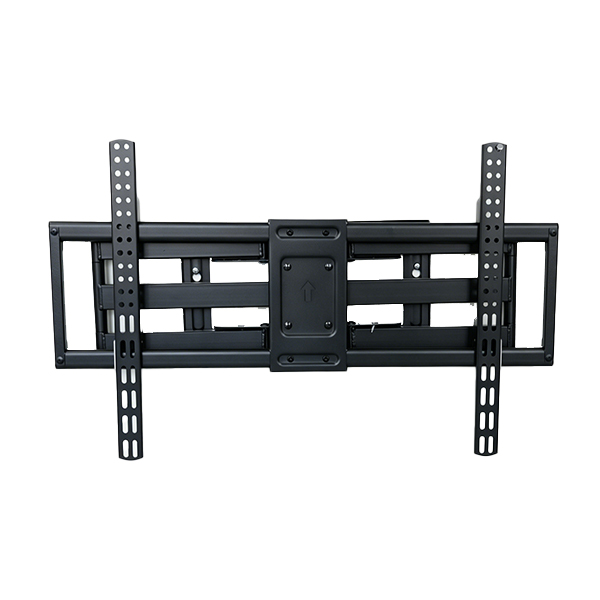
Display Weight and Bracket Capacity
The mount’s rated capacity must be suitable for the actual display. Use the display weight without the removable tabletop stand unless the manufacturer specifies another mounting-related figure.
For full-motion products, leverage must also be considered. Extending the display away from the wall increases the force acting on the wall plate and arm joints.
A compatible VESA mount size does not compensate for an under-rated mounting structure.
B2B buyers should request clear information about:
- Maximum tested load
- Mount position during testing
- Extension distance during testing
- Permanent deformation
- Joint stability
- Wall-plate strength
- Fastener configuration
Wall Structure and Installation Hardware
Different wall structures require different installation methods. Wood framing, concrete, brick, hollow block, metal studs, and plaster systems cannot automatically use the same hardware.
The screws and anchors included in a package are a component set. Their presence does not mean that the bracket can be installed on every wall.
The installer must identify the load-bearing structure and follow suitable installation instructions. Independent mounting safety guidance also emphasizes using appropriate hardware and following the instructions supplied with the mounting product.
Screw Diameter, Depth, and Spacers
Many flat displays use metric machine screws, but the correct diameter and insertion depth depend on the exact model.
A screw that is too short may not engage enough thread. A screw that is too long may bottom out or damage components inside the display.
Use the display manual or approved hardware information. When mounting holes are recessed or the rear panel is curved, suitable spacers and washers may be needed to keep the mounting rails even.
Never assume that the longest screw in the hardware package is the safest choice.
How to Match VESA Mount Size with the Right Mount Type
After confirming the hole pattern and load capacity, choose a bracket structure that fits the room and user behavior.
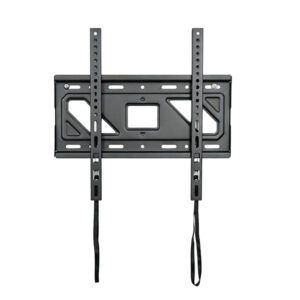
Fixed TV Wall Mount
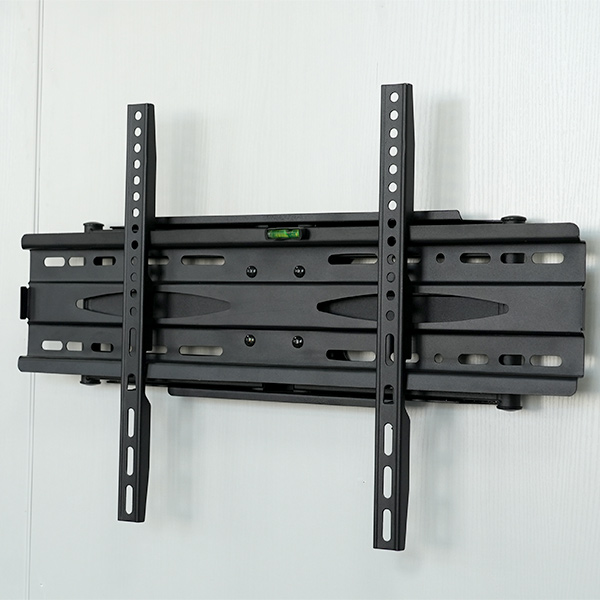
A fixed TV wall mount keeps the screen close to the wall. It is suitable when the main viewing position is stable and regular angle adjustment is unnecessary.
Important selection details include:
- Wall-to-screen distance
- Cable and plug clearance
- Locking mechanism
- Post-installation access
- Rail length
- Supported VESA mount size range
Fixed brackets are often selected for hotel rooms, apartments, bedrooms, offices, and commercial display areas where a clean, low-profile appearance is important.
Tilting TV Wall Mount
A tilting TV wall mount provides vertical angle adjustment.
It can be useful when:
- The screen is mounted above seated eye level.
- Overhead lighting creates glare.
- The display needs easier cable access.
- The installation position is fixed but the vertical angle requires adjustment.
Check that the screen can tilt without contacting the wall and that the mounting rails do not block important rear connections.
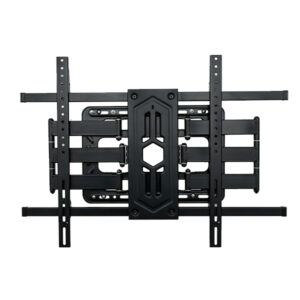
Full-Motion TV Wall Mount
A full-motion TV wall mount can extend, swivel, and sometimes tilt.
It is useful for:
- Corner installations
- Open-plan rooms
- Meeting areas
- Hotel rooms
- Classrooms
- Changing viewing positions
- Displays requiring frequent rear access
With this structure, the VESA mount size is only one part of the evaluation. Arm extension, joint stability, wall-plate width, screen width, side clearance, and cable length all affect practical performance.
For a more detailed comparison, read Full Motion TV Mount vs Fixed and Tilting.
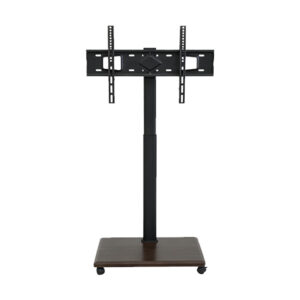
Mobile TV Stand
A mobile TV stand with wheels uses the same basic display-interface principle, but its safety considerations are different.
Buyers must also evaluate:
- Base dimensions
- Caster quality
- Wheel-locking system
- Height adjustment
- Display center of gravity
- Shelf capacity
- Doorway clearance
- Stability during movement
- Cable management
A correct VESA mount size allows the screen to connect to the stand, but it does not prove that the complete mobile system is stable.
How to Handle Recessed Holes and Uneven TV Backs
A compatible hole pattern does not always result in a simple installation.
Recessed Mounting Holes
Some displays position the threaded holes inside deep recesses. Standard mounting rails may contact the rear housing before reaching the mounting surface.
Spacers can bridge the gap, but the screw length must still remain within the approved engagement depth.
Curved or Stepped Rear Covers
A television may have a curved back, a thicker lower section, or a raised area around the mounting holes.
The rails should sit evenly. They should not be forced against decorative plastic, ventilation openings, removable covers, or connection panels.
Rear-Facing Ports
Power, HDMI, network, antenna, audio, and service connections may be positioned directly behind the mounting plate.
Before installation, inspect:
- Plug orientation
- Connector depth
- Cable bend radius
- Required maintenance access
- Available space behind the TV
Low-profile brackets may require carefully planned cable routing or right-angle connectors. Full-motion mounts provide more rear access but need sufficient cable length for movement.
Off-Center Mounting Patterns
The mounting holes may not be centered vertically on the display.
This affects the final screen height. Installers should calculate the wall-plate position from the mounting-hole location rather than only using the television’s outside dimensions.
This detail is especially important in hotels, classrooms, offices, and multi-unit projects where multiple displays must be aligned consistently.
How B2B Buyers Should Read a VESA Specification
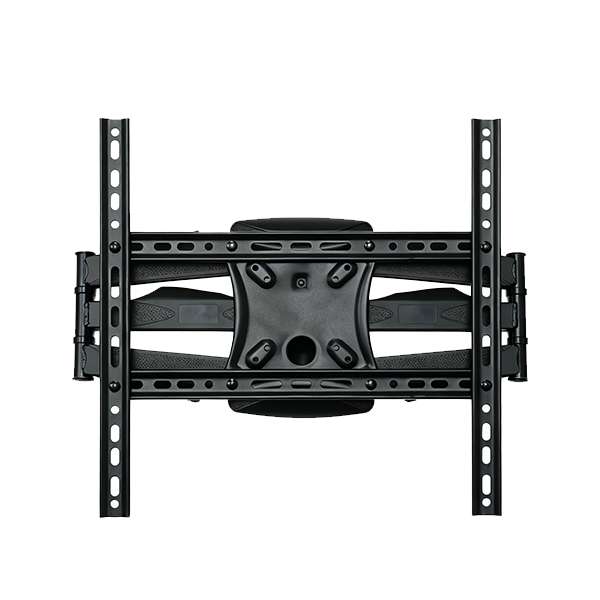
For distributors and project buyers, a statement such as “supports up to 600 × 400” may not provide enough information.
A professional specification sheet should answer:
- What is the minimum supported pattern?
- What is the maximum supported pattern?
- Are rectangular patterns included?
- Are intermediate patterns such as 300 × 200 and 400 × 300 supported?
- Are the vertical rails fixed or adjustable?
- What is the usable rail length?
- What is the mounting-plate width?
- Which patterns require extension arms?
- Which screws, washers, and spacers are supplied?
- Does the bracket block rear-facing ports?
- Does the load rating apply throughout the full movement range?
- Are different hardware kits available for different markets?
The safest way to present VESA mount size compatibility is to provide both a maximum mounting envelope and a complete list or diagram of supported hole positions.
For example, a product should not be described only as “maximum VESA 600 × 400.” Its specification should show whether it supports:
- 200 × 200
- 300 × 200
- 300 × 300
- 400 × 200
- 400 × 300
- 400 × 400
- 600 × 400
This information helps buyers compare products more accurately and reduces the risk of assuming that every smaller pattern is automatically supported.
VESA Compatibility for Wholesale Product Planning
A distributor should not select products only by choosing the bracket with the largest possible VESA mount size.
An oversized universal plate can create disadvantages:
- Higher material use
- Larger packaging
- Greater shipping weight
- Unnecessary visual bulk
- Blocked connections on smaller displays
- More complicated installation
- Confusing hardware kits
A better product range may include several clearly positioned models.
| Product Group | Typical Market Position |
| Compact fixed or tilting mount | Small and medium displays |
| Standard universal wall mount | Common residential TV ranges |
| Full-motion mount | Flexible viewing and corner installations |
| Heavy-duty mount | Larger or heavier displays |
| Monitor arm | Small VESA patterns and desktop use |
| Mobile TV stand | Classrooms, meetings, exhibitions, and temporary spaces |
This structure allows buyers to match each product with a specific application rather than relying on one oversized bracket for every customer.
Turn VESA Mount Size Data into Better Packaging
Clear product packaging reduces uncertainty before the carton is opened.
For wholesale, retail, and private-label programs, consider displaying:
- Supported VESA mount size range
- Complete compatibility diagram
- Recommended display-size range
- Maximum load rating
- Mount type
- Tilt, swivel, or extension range
- Hardware list
- Installation-tool list
- Model number
- Traceability code
- QR code for the latest manual
- Customer-support details
- Installation warnings
A customer should be able to compare the display specification with the bracket packaging in less than a minute.
The instruction manual, carton, online page, and sales sheet should use the same terminology. If the carton states “maximum 400 × 400” while the website says “universal VESA,” buyers may not know whether patterns such as 400 × 300 are supported.
Show the Pattern Visually
A simple mounting-hole diagram can be easier to understand than a long list.
The diagram should indicate:
- Horizontal spacing
- Vertical spacing
- Slot positions
- Removable extension arms
- Minimum and maximum dimensions
- Patterns requiring special assembly
Separate Screen Size from VESA Size
Do not place the screen-size range and VESA mount size in the same field.
A clear layout could show:
- Recommended TV size: 32–65 inches
- Supported VESA: 100 × 100 to 400 × 400 mm
- Maximum load: According to the tested product rating
This makes it clear that the three specifications serve different purposes.
Common VESA Mount Size Errors That Cause Returns
Assuming Every Mount Is Universal
“Universal” usually means that a bracket supports several common patterns. It does not mean every screen, weight, wall, or rear-cover shape will fit.
Reversing the Measurements
VESA mount size is normally written with the horizontal measurement first and the vertical measurement second.
Reversing 400 × 200 to 200 × 400 can result in the wrong mounting plate.
Using Screen Size as the Final Specification
Two televisions with the same diagonal size can use different mounting holes and have different weights.
Ignoring Intermediate Patterns
A plate with a maximum opening of 400 × 400 does not necessarily support every pattern inside that area. The actual slots and attachment points must align.
Measuring in Inches but Recording Millimeters
Use millimeters for the final VESA specification. When converting from inches, calculate carefully and verify the physical hole centers.
Ignoring Display Weight
A plate can align perfectly while the arms, joints, or wall plate remain unsuitable for the load.
Blocking Rear Connections
The correct VESA mount size may still place a vertical rail across the power or signal ports.
Using Unapproved Screw Lengths
The longest screw is not automatically the strongest or safest option. Correct thread engagement is more important than maximum length.
Failing to Check Movement
For tilting and full-motion mounts, carefully test the intended movement after installation.
Confirm that:
- Cables are not stretched.
- The screen does not contact the wall.
- The arm does not collide with nearby furniture.
- The joints remain stable.
- The display stays level.
- The fasteners remain secure.
How to Prepare a Better TV Mount RFQ
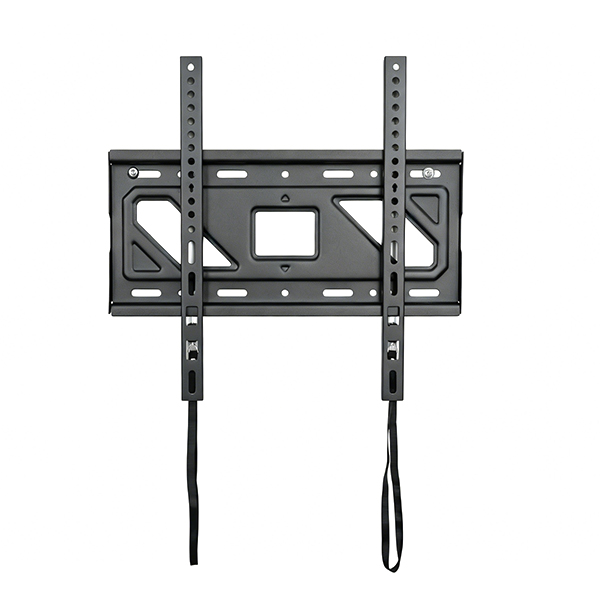
A detailed request for quotation helps the manufacturer recommend a suitable model faster and reduces repeated communication.
| RFQ Item | Information to Provide |
| Target display range | Intended screen sizes and display types |
| VESA mount size | Minimum, maximum, and important intermediate patterns |
| Load requirement | Maximum display weight |
| Mount structure | Fixed, tilting, swivel, full motion, floor stand, or mobile cart |
| Wall environment | Concrete, masonry, wood framing, metal studs, or mixed projects |
| Adjustment needs | Tilt, swivel, extension, leveling, or height adjustment |
| Application | Home, hotel, office, classroom, retail, event, or commercial project |
| Packaging | Neutral carton, private label, color box, or enhanced protection |
| Hardware kit | Required screws, spacers, washers, anchors, and labeling |
| Documentation | Manual languages, diagrams, warnings, and QR codes |
| Customization | Logo, color, structure, barcode, carton mark, or accessories |
Buyers can review the complete TV Mounts & Brackets range before preparing model requirements.
For compatibility reviews, OEM packaging, private-label projects, or customized mounting solutions, submit the display details through the Contact Us page.
FAQ
What Is a VESA Mount Size?
It is the horizontal and vertical center-to-center spacing between the threaded mounting holes on the back of a flat display. It is written in millimeters, such as 200 × 200 or 400 × 300.
How Do I Know My TV’s VESA Mount Size?
Check the TV manual or official specification sheet. You can also measure the horizontal and vertical distances between the hole centers on the rear of the display.
Does TV Screen Size Determine the VESA Pattern?
No. Screen size can suggest a likely range, but televisions with the same diagonal size may use different mounting patterns. Always verify the exact model.
Can a 400 × 400 Mount Fit a 400 × 300 TV?
Only when the mounting plate or rails include positions that support 400 × 300. A maximum 400 × 400 envelope does not automatically prove that every smaller pattern is included.
Is a Larger VESA Mount Size Safer?
Not by itself. Safety depends on the bracket rating, structure, joints, wall support, fasteners, screw engagement, and installation quality.
What Does “Up to 600 × 400” Mean?
It normally describes the largest supported horizontal and vertical dimensions. Buyers should still request the complete pattern list or mounting diagram.
Can I Use a VESA Adapter Plate?
An adapter may connect a display and bracket with different hole arrangements, but it must be designed for the required pattern and load.
The adapter, mount, screws, and wall system must all remain suitable for the display.
Why Are Spacers Used Behind a TV Mount?
Spacers can provide clearance around recessed holes, curved housings, raised covers, or rear components. They must be combined with the correct approved screw length.
Does VESA Compatibility Apply to Mobile TV Stands?
Yes. Wall mounts, monitor arms, floor stands, and mobile carts can all use VESA-based display interfaces.
A mobile stand also requires checks for base stability, caster locks, height, and center of gravity.
What VESA Information Should a Distributor Print on the Carton?
The carton should show the exact supported patterns, display-size guidance, load rating, mount type, movement range, model number, hardware contents, and installation warnings.
Conclusion
VESA mount size is the starting point for matching a television with a wall mount, monitor arm, floor stand, or mobile cart. It gives buyers a standardized way to compare the mounting holes on a display with the connection points on a bracket.
However, a correct hole pattern is not the same as a complete safety assessment. Display weight, mount rating, wall structure, fasteners, screw depth, rear-cover shape, port clearance, and movement range must also be evaluated.
For end users, the best approach is to check the official TV specifications and measure the holes when necessary. For distributors and project buyers, the goal should be broader: create clear compatibility charts, list every supported pattern, supply organized hardware, and keep the carton, manual, sales sheet, and online product page consistent.
When VESA mount size information is accurate and easy to understand, customers can choose products faster, installers make fewer mistakes, and suppliers receive more precise inquiries.
Explore Xinge Mount’s TV mounting solutions or contact the team to discuss product compatibility, model selection, packaging, and OEM/ODM requirements.